
01 / SCHEDULING
Plan a reliable week.
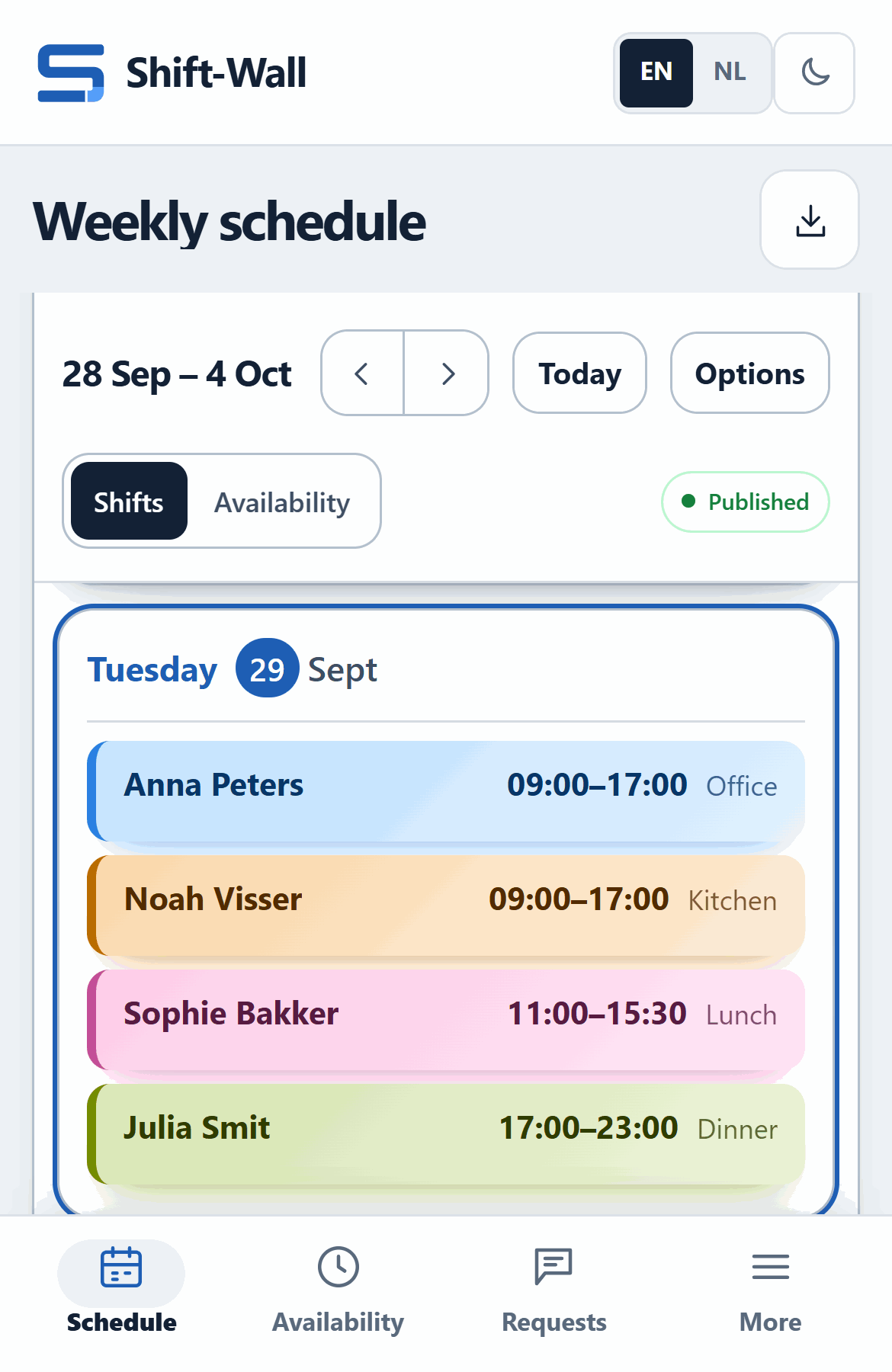
Collect availability, manage leave, build shifts and publish one schedule the team can check from any device.
- Availability and leave requests
- Weekly schedules and reusable shifts
- Manager and employee views
BUILT FOR RESTAURANTS AND HOSPITALITY
Build the schedule, collect availability and record attendance in one connected system. Give the team a clear plan and prepare verified hours for payroll.
Each business has its own private workplace, team access and settings.
WHAT IT REPLACES
Most restaurant weeks still run on a group chat, a paper sheet and a spreadsheet. Shift-Wall puts them in one place.
A photo of the schedule in the group chat
One published schedule on every phone
Leave requests lost between messages
Availability and leave in one overview
Paper timesheets and forgotten clock-outs
Kiosk clock-in, reviewed before payroll
Retyping hours into a spreadsheet
Verified hours exported to Excel or CSV
CHOOSE WHAT FITS
Use either product on its own or bring scheduling and attendance together for a clearer view of planned and worked hours.
01 / SCHEDULING
Collect availability, manage leave, build shifts and publish one schedule the team can check from any device.
02 / TIME TRACKING
Let employees clock in from an approved workplace device, review attendance and prepare clean records for payroll.
03 / COMPLETE SYSTEM
Give managers one path from the published schedule to reviewed working hours, while keeping each product simple to use.
FOR THE WHOLE TEAM
Each role gets a focused view, with less administrative text and a clear next action.
FOR MANAGERS
Review availability, publish shifts, check attendance and prepare records without moving between spreadsheets.

TIME TRACKING
Employees use a clear workplace kiosk while managers review attendance, exceptions and approved hours in a protected admin area.

FOR EMPLOYEES
See published shifts on a phone, submit availability and use the approved workplace device to record attendance.
All screens use invented names and records. Every customer workplace is separated from other businesses.
HOW IT WORKS
A practical workflow for busy hospitality teams.
Add owners, managers and employees to the private workplace.
Collect availability, assign shifts and share the confirmed week.
Employees clock in and out using an approved device at work.
Check exceptions and prepare verified hours for payroll.
A silent walkthrough of the real product with short captions. Demo data.
PRIVATE BY DESIGN
Every customer receives a private workplace with controlled roles and access. The hosted service uses encrypted HTTPS connections, protected accounts and regular backups.
SEE IT WITH YOUR OWN WORKFLOW
Tell us which product interests you. We will prepare a short, relevant demonstration and discuss the setup that fits your business.
No payment is taken here. Questions? Email [email protected].
ALREADY HAVE AN ACCOUNT?
Sign in with your email. If you work at more than one business, Shift-Wall shows your available workplaces together.
Continue to sign inWe will review it and contact you at the email address you provided.